
Photo Scan App by Photomyne
Photomyne Ltd.Photography
4.32.99K Reviews
- Version
- 26.7.2607001L
- Installs
- 5.00M
- Age Rating
- Everyone
Screenshots
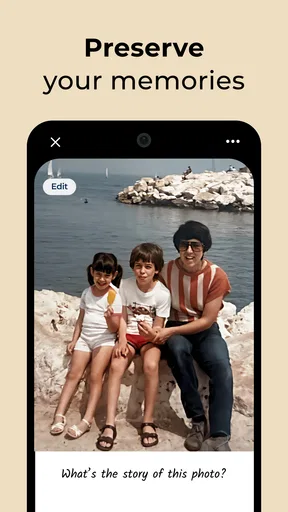
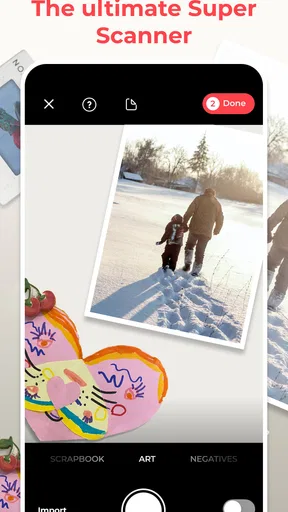
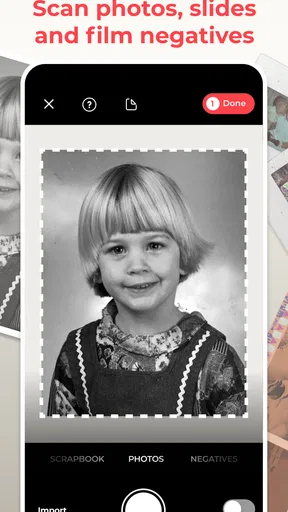
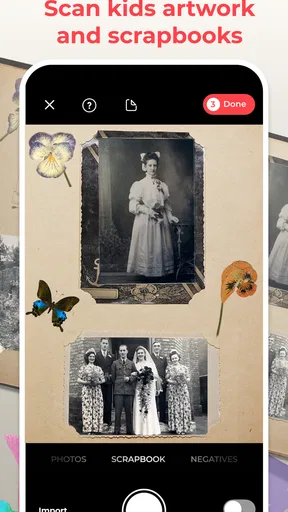
Our Review of Photo Scan App by Photomyne
 Analysis by Appyee
When I decide how to digitize old prints, I start with a practical question: do I want a quick way to capture a group of photos, or do I need careful, image-by-image control? That distinction matters more than a long list of editing tools. Photo Scan App by Photomyne is built around the first job: using a phone to turn physical pictures into digital copies with less fuss than photographing each one separately.
That makes it appealing if a box of family snapshots has been waiting for attention because scanning feels like a project. It is less compelling if you only have one precious print and want to spend time adjusting every detail, or if you already use a flatbed scanner for archival-quality work. I see its strongest case as convenience: getting a useful first digital copy of many pictures while they are all spread out on a table.
Choose the workflow before you start
Before opening the app, I would sort prints into small batches by person, event, or approximate period. That simple step makes it easier to create coherent albums later and reduces the chance of mixing unrelated photos into one scanning session. I would also wipe dust from the prints and use a bright, even setting without harsh reflections. Those small preparations can matter as much as any automatic enhancement, because software cannot recover detail that glare or dirt obscures.
For a first session, I would test a few prints with different conditions: a bright color photo, a faded one, and a smaller or unusually shaped print. Checking the crop and color before scanning a whole box helps set realistic expectations. If the result looks good, continue with that setup; if not, adjust the light or how the prints are positioned. This is a more useful approach than assuming every original will respond equally well to automatic processing.
Getting Started with Photomyne
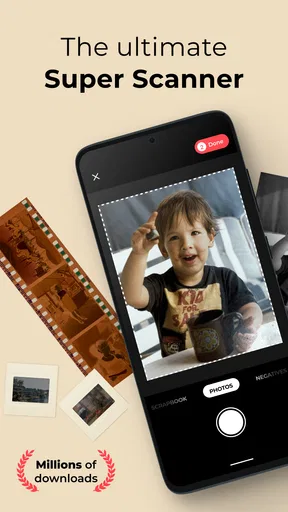
Diving into the Photo Scan App by Photomyne is a breeze. Once you download and fire it up, you're greeted with a clean interface that's intuitive enough for even the least tech-savvy among us. Simply point your phone at a photo, and bam, you've got a digital version. The app does all the heavy lifting, automatically cropping and enhancing the image to bring out the best in your snaps.
One feature I absolutely love is the ability to scan multiple photos at once. Lay out a few pics, snap a shot, and let Photomyne work its magic. It's like having a personal photo assistant. Who knew digitizing memories could be this easy?
Where quick batch scanning earns its keep
The batch approach is most helpful when the goal is to make a collection accessible, not to produce a perfect reproduction of every print on the first try. Imagine finding a stack of school pictures while clearing a cupboard before a family visit. I would place a few photos on a plain surface, capture them together, review the separate crops, then keep moving through the pile. That turns an otherwise tedious task into a manageable short session and gives relatives something to look through sooner.
There is a trade-off: arranging prints still takes care, and “multiple at once” does not mean the originals can be piled or overlapped. Leave space between them so the app can distinguish their edges, and keep the phone steady and parallel to the surface. If a crop cuts off a corner or includes too much background, correct it before moving on. A quick review at capture time is less frustrating than discovering a batch of imperfect images after putting the prints away.
The Magic of Enhancement and Storage
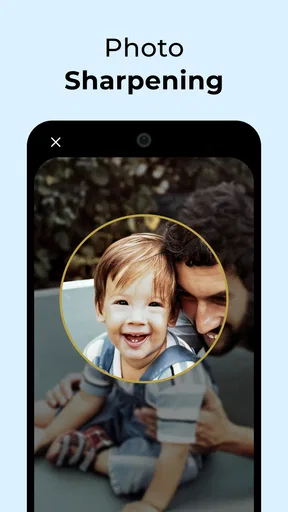
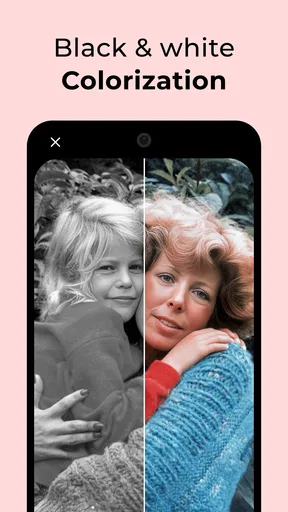
Now, let's talk about quality. The app doesn't just scan photos; it enhances them. We're talking color correction, sharpening, and even restoring faded images. It's like watching your past come back to life. The results are often better than expected, especially with those old, tattered photos that have seen better days.
Once scanned, your photos are safely stored in the app. You can organize them into albums, making it a breeze to find that one awkward family photo from '95. Plus, with cloud backup, your memories are safe and sound, even if your phone decides to take an unexpected swim.
How enhancement changes the decision
Automatic improvements are convenient, but I would treat them as a starting point rather than a guarantee that every old print will look restored. A faded photo may benefit from correction, while a print with scratches, stains, or missing emulsion can still show its age. Compare the digital result with the original before deciding that the app has improved it; a stronger-looking image is not automatically a more faithful one.
For a family archive, I would keep the originals even after scanning. The digital copies are easier to browse and share, but they do not replace the physical object or necessarily preserve every fine detail. If a photograph is unusually valuable, badly damaged, or intended for a large print, a dedicated scanner or a professional restoration workflow may be a better next step. Photomyne is most useful for creating convenient everyday copies, not for promising museum-grade preservation from every phone capture.
Sharing Memories Made Simple
Another nifty feature? Sharing your photos. Whether it's a quick share to social media or sending them to family across the globe, Photomyne makes it simple. The app supports multiple sharing options, so you're not limited to just one platform. Grandma wants a copy of that Christmas '89 photo? No problem, Photomyne's got you covered.
And for those looking to get a bit more creative, the app offers the ability to create slideshows and photo collages. It's a fun way to relive those memories and maybe even embarrass your siblings at the next family gathering.
From a quick share to a family archive
When I scan pictures for relatives, I would decide on the purpose before sharing: a few favorites for a group chat, or a larger set that needs clear album names and some context. Adding a simple note about who is pictured or where an event took place can make a folder much more useful years later. Names and dates are easy to forget, especially when several generations are looking at the same images.
I would also share a small sample first if the recipient mainly wants to view the pictures on a phone. That gives everyone a chance to flag a favorite or spot a mistaken crop before I send a larger batch. For family photos that people may not want posted publicly, direct sharing is a more considerate choice than assuming a social post is appropriate. The app’s creative formats can make a gathering more fun, but they are extras; the lasting value is often simply having an organized copy people can find again.
Pricing and Accessibility
Let's chat about the cost. While the app is free to download, unlocking its full potential means considering their subscription options. The premium version offers unlimited scanning, additional editing tools, and extended cloud storage. It's a small price to pay for preserving those invaluable memories.
Photomyne is available on both Android and iOS, so no one's left out of the photo-scanning revolution. It's user-friendly, efficient, and incredibly handy for anyone looking to digitize their photo collection without breaking a sweat.
What to expect before committing
The app is free, and its in-app purchases range from under a dollar to nearly three hundred dollars per item, so I would check the purchase details in the app before choosing anything. A free download does not mean every feature or amount of storage will necessarily suit a large archive at no cost. If I were scanning a handful of prints, I would begin with that limited goal and see whether the available workflow meets my needs before paying to expand it.
Photomyne Ltd. makes this photography app, which is rated for Everyone. It has a 4.2 average from around 46,000 ratings, with over 5 million installs, so it is clearly used by a broad audience. It first appeared in 2016, and version 26.2.2.2602200L is the current release; Android support starts at version 8.0. Those details help with basic compatibility, but the more important decision is whether phone-based batch capture fits the quality and organization you expect.
When another scanning method is better
Compared with the camera app already on a phone, Photomyne is aimed at a more specific task: handling printed photos as a set rather than treating each one as an ordinary camera subject. That convenience is valuable when volume is the main obstacle. A standard camera can still be a sensible choice for a single print, especially if you want to compose and adjust the shot yourself. A flatbed scanner is the stronger alternative when fine detail, consistent capture, or careful archival work matters more than speed.
There is also a worthwhile middle ground: use Photomyne to get a first pass through a large family collection, then rescan only the especially important or technically difficult prints with a more controlled method. This avoids spending hours on every image while still giving the most meaningful photographs extra attention. I would not choose a batch workflow for prints with reflective surfaces or complicated edges unless a test capture proves it handles them acceptably.
Who I would recommend it to
I would recommend this app to someone who has a substantial pile of prints, wants to make them easier to browse, and is comfortable checking the results as they go. It suits families assembling a shared digital collection, people preparing a slideshow for a reunion, and anyone who keeps postponing photo preservation because scanning one picture at a time feels too slow. The option to organize and share the results gives the scanning effort a practical purpose beyond simply filling a phone with images.
I would steer away from it if your priority is the highest possible reproduction quality, if you need a carefully controlled archival master, or if you dislike reviewing automatic crops and corrections. It may also be more than you need if you have only a few prints and are happy to photograph them individually. The right choice depends less on how old the pictures are than on what you plan to do with the digital copies.
Wrapping It Up
In short, Photo Scan App by Photomyne is a game-changer for anyone looking to preserve their photo archives. It's fast, reliable, and packed with features that make photo scanning a walk in the park. Whether you're a tech enthusiast or just someone looking to save space by ditching physical albums, this app is worth every megabyte of space on your device.
So, grab those old photos, download Photomyne, and start reliving those precious memories. Trust me, your future self will thank you.
My recommendation is to try it with a small, mixed batch before committing to a full collection. If the crops and enhancements look right for your prints, the faster workflow can make a neglected box of photos feel approachable. If those first results are not good enough for the pictures you care about most, keep the app for casual sharing or choose a more controlled scanning method for the archive. That is the clearest way to judge whether its convenience is worth the trade-off for you.
Verdict
Strengths of Photo Scan App by Photomyne
- Easy to use interface, great for beginners.
- Quick scanning with impressive speed.
- Batch scanning saves significant time.
- Offers cloud backup for scanned images.
- Supports multiple formats and editing.
Limitations of Photo Scan App by Photomyne
- Limited free features; premium needed.
- Requires internet for some functionalities.
- Occasional ads in the free version.
- Some images may lose original quality.
- Editing tools are somewhat basic.
Similar Picks in This Category
View All
Google Photos
Google LLC4.4

Gallery
Google LLC4.2

Picsart AI Photo Editor, Video
PicsArt, Inc.3.9

B612 AI Photo&Video Editor
SNOW Corporation4.1

BeautyPlus-Selfie Photo Editor
PIXOCIAL TECHNOLOGY (SINGAPORE) PTE. LTD.4.5

Remini - AI Photo Enhancer
Bending Spoons4.1
Frequently Asked Questions
What is the main function of the Photo Scan App by Photomyne?
The Photo Scan App by Photomyne is designed to help users digitize their physical photo collections quickly and easily. It allows you to scan multiple photos in a single shot using your smartphone’s camera, automatically cropping and enhancing each image for optimal quality. This makes it an efficient solution for preserving cherished memories.
How does the app handle photo organization and storage?
The app provides intuitive tools for organizing scanned photos into albums and tagging them for easy retrieval. It also offers cloud storage options, ensuring your digital photos are safely backed up and accessible across multiple devices. This makes managing and accessing your photo library incredibly convenient.
Is the app user-friendly for beginners?
Yes, the Photo Scan App by Photomyne is designed with a user-friendly interface that is accessible for beginners. It features step-by-step guidance and automated processes, such as auto-cropping and color correction, making it easy to use even for those who are not tech-savvy. This ensures a smooth user experience.
What are the key features offered in the premium version of the app?
The premium version of the Photo Scan App offers additional features such as unlimited cloud storage, access to advanced editing tools, and the ability to create slideshows and video collages. Subscribers can also enjoy ad-free usage and priority customer support, enhancing the overall functionality and convenience of the app.
Are there any privacy concerns with using the Photo Scan App by Photomyne?
Photomyne emphasizes user privacy and data protection. The app requires permissions to access your camera and storage, but all scanned photos remain private unless you choose to share them. The app complies with standard data protection regulations, ensuring your personal information and images are secure.
